%20(6)%20(1).png)
Setting Up Your Home WiFi the Right Way
- Dec 3, 2025
- 3 min read
Getting your home WiFi set up properly is essential for smooth internet use. Whether you stream movies, work from home, or just browse, a good WiFi setup makes all the difference. I want to share some simple steps and tips to help you get your residential WiFi setup right the first time. This way, you can enjoy fast, reliable internet without the usual headaches.
Why Residential WiFi Setup Matters
A strong WiFi connection is more than just convenience. It affects how well your devices work and how much frustration you avoid. When your WiFi is set up correctly, you get:
Faster internet speeds
Better coverage throughout your home
Fewer dropouts and interruptions
Improved security to protect your data
Many people don’t realise that where and how you place your router can change everything. I’ve seen homes where the router was tucked away in a cupboard or basement, causing weak signals upstairs or in the backyard. By paying attention to your setup, you can fix these issues easily.
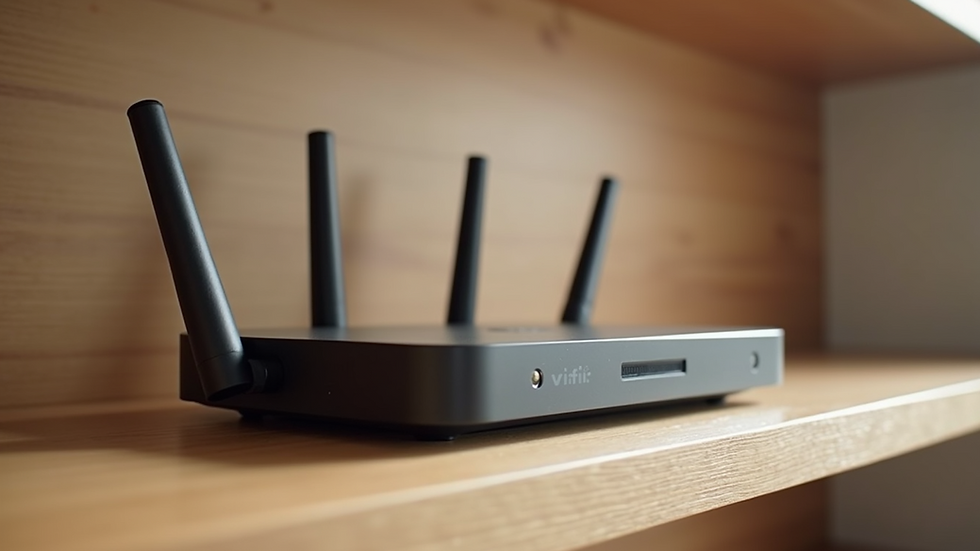
Step-by-Step Guide to Residential WiFi Setup
Let’s break down the process into clear steps. Follow these, and you’ll have a solid WiFi network in no time.
1. Choose the Right Router
Not all routers are created equal. For a home, look for a router that supports the latest WiFi standards (like WiFi 5 or WiFi 6). These offer better speed and range. Also, consider the size of your home. Larger homes may need a router with stronger antennas or even a mesh WiFi system.
2. Find the Best Location
Where you put your router matters a lot. Place it:
In a central spot in your home
Away from thick walls or metal objects
Off the floor, ideally on a shelf or table
Away from other electronics that might cause interference (like microwaves or cordless phones)
Avoid hiding your router in cupboards or behind furniture. The goal is to let the signal spread evenly.
3. Secure Your Network
Security is key. Set a strong password for your WiFi network. Use WPA3 or WPA2 encryption if your router supports it. Avoid default passwords or simple ones like "password123". This keeps your network safe from unwanted users.
4. Connect and Test
Once your router is set up, connect your devices and test the speed in different rooms. You can use free apps or websites to check your WiFi speed. If you notice weak spots, consider adding a WiFi extender or mesh nodes.

Common Challenges and How to Fix Them
Even with the best setup, some issues can pop up. Here are common problems and what you can do:
Slow Speeds: Check if your internet plan matches your needs. Sometimes upgrading your plan helps. Also, reduce the number of devices connected at once.
Dead Zones: Use WiFi extenders or mesh systems to cover areas with weak signals.
Interference: Change your router’s channel settings to avoid crowded frequencies.
Frequent Disconnects: Restart your router regularly and update its firmware.
If you want professional help, consider contacting experts who specialise in home wifi installation. They can assess your home and set up the best system for you.
Tips for Maintaining Your WiFi Network
Setting up your WiFi is just the start. Keeping it running well requires some care:
Update Firmware: Router manufacturers release updates to improve performance and security. Check for updates every few months.
Change Passwords Regularly: This keeps your network secure.
Monitor Connected Devices: Remove unknown devices to prevent slowdowns.
Reboot Occasionally: Restarting your router can clear temporary issues.
By following these tips, your WiFi will stay fast and reliable.
Making the Most of Your Home Internet
Good WiFi setup is the foundation, but how you use your internet matters too. Here are some ideas to get the best experience:
Use wired connections (Ethernet) for devices that need the fastest speeds, like gaming consoles or desktop PCs.
Prioritise important devices with Quality of Service (QoS) settings on your router.
Schedule heavy downloads or updates for off-peak times to avoid slowing down your network.
With these strategies, your home internet will support all your needs smoothly.
Ready to Upgrade Your Home WiFi?
If you’re in South Australia and want a reliable, fast, and affordable internet setup, professional help is just a call away. SimTech Telecommunications Pty Ltd is your local expert for all things telecommunications. They offer expert advice and services to keep your home and business connected without hassle.
Setting up your WiFi the right way can transform your internet experience. Take the time to follow these steps, and you’ll enjoy a strong, secure, and fast connection every day.
Happy surfing!


Comments